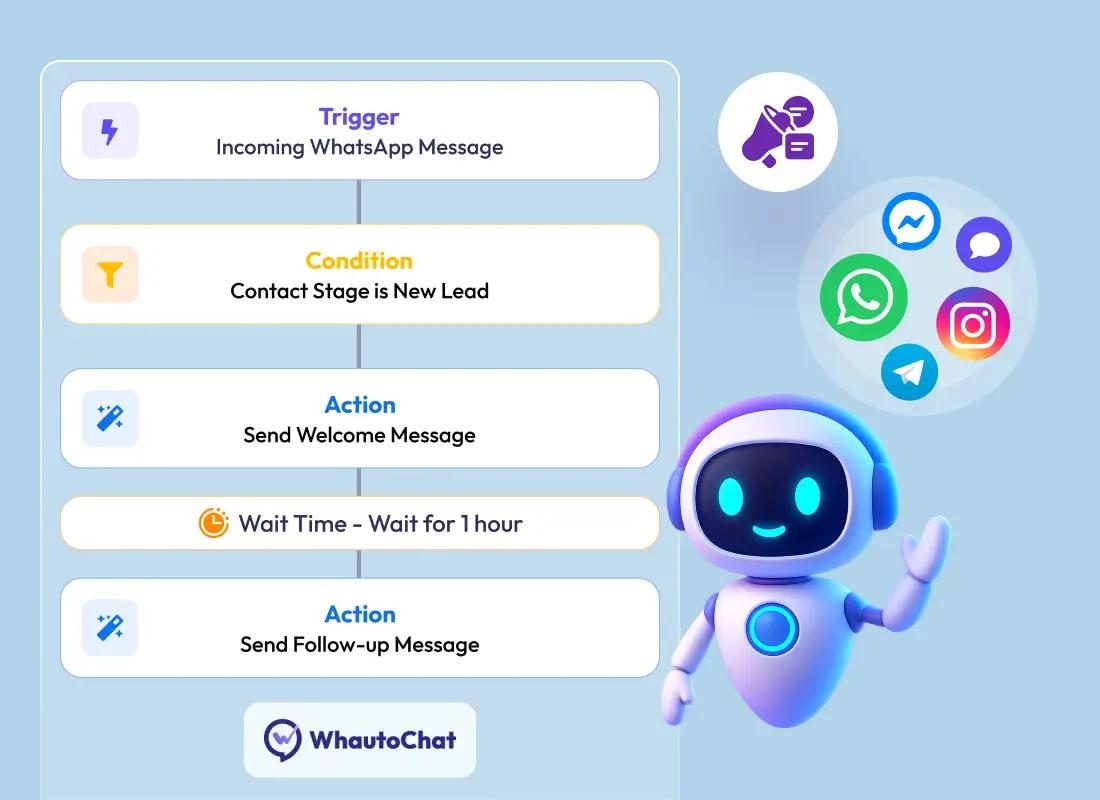
WhatsApp is an everyday channel between Saudi businesses and their customers, but handling chats by hand from one phone gets hard as volume grows: slow replies, chats nobody follows up, and no clear record of what each customer was told. That is when "WhatsApp automation" comes up, often without clarity on the difference between the WhatsApp Business app and the WhatsApp Business Platform (API), or on what Meta's policies allow.
This educational guide explains both options, what can actually be automated, the opt-in and policy requirements, and how WhatsApp connects to a CRM.
Option one: the WhatsApp Business app
A mobile app for small businesses, run by hand from the company's phone. According to the official features page, it offers:
- Catalog: showing products and services inside the chat.
- Quick replies: saving frequent messages and sending them with a shortcut.
- Greeting message: sent automatically when a new customer first gets in touch.
- Away message: an automatic reply outside business hours.
- Labels: organising and filtering chats.
That is enough for many small businesses. It is not built for programmatic integration with company systems, or for distributing chats across a large team with reporting and a shared history.
Option two: the WhatsApp Business Platform (API)
A platform for medium and large businesses, used through APIs (the Cloud API) rather than the phone app. According to Meta's developer documentation:
- It lets you send text, media and interactive messages programmatically.
- Incoming messages and message status updates reach your server through webhooks, which is what makes integration possible.
- It relies on message templates prepared in advance that generally need approval before use.
- Messaging limits cap how many users you can message outside a customer service window over a rolling 24 hours; business verification can raise that capacity.
Quick comparison
| Item | WhatsApp Business app | WhatsApp Business Platform (API) |
|---|---|---|
| How it is used | A manual phone app | APIs connected to your systems |
| Automation | Greeting, away message, quick replies | Automated flows, system integration, notifications from your systems |
| Multiple agents | Limited | Through a shared inbox tool or a connected CRM |
| Messages outside 24 hours | Per the app's policies | Approved templates only |
| Cost | As Meta publishes for the app | Per-message pricing by category and country |
The 24-hour customer service window and templates
The key rule on the platform: when a customer messages your business, a 24-hour customer service window opens and resets with each new message from them. Inside the window you can reply with ordinary messages, including automated ones. Outside it you can only send approved templates.
Meta groups templates into three categories: marketing, utility (such as an order confirmation or shipping update) and authentication (such as verification codes). Since 1 July 2025 Meta has charged per delivered message, by category and recipient country, and it does not charge for messages users send to businesses. Meta has also announced pricing changes for some categories from 1 October 2026, so check the official pricing page before you set a budget.
Opt-in and policy
The WhatsApp Business Messaging Policy sets out points any automation has to be built on:
- Prior opt-in: only message people who gave you their number and permission to contact them. The policy recommends a separate opt-in for each message category, such as marketing and notifications.
- Honouring opt-outs: you must respect every request to block, stop or unsubscribe, whether it is made on WhatsApp or elsewhere.
- A clear path to a person: automation is allowed, but you must provide a prompt, direct way to reach a human agent: in the chat, by phone, email or a support form.
- Sensitive data: you may not request or share full payment card numbers or similar sensitive identifiers.
- Prohibited or restricted businesses: the policy lists goods and services that are banned or restricted; review it before you start.
Customer numbers and chat content are also personal data, covered in Saudi Arabia by the Personal Data Protection Law. Decide where chats are stored, who can read them and how long they are kept.
What can actually be automated
- First reply and routing: a menu that sends the customer to sales, support or the right branch.
- Frequent questions: opening hours, locations, order status, with a hand-off to staff when needed.
- System notifications: order confirmations, appointment reminders and shipping updates, using approved utility templates, for customers who opted in.
- Lead capture: name, service needed and city, then creating an opportunity in the CRM.
- An AI assistant: a model answering from company documents can be added, within the 24-hour window and with a hand-off path to staff. Read how to test that in AI in Saudi businesses.
Connecting WhatsApp to a CRM
Automation pays off when the conversation no longer lives on one employee's phone. A typical integration:
- The customer's message reaches your server through a webhook.
- The system looks the customer up by mobile number in the CRM, or creates a new contact.
- The chat is logged on the customer record and assigned to a person or team.
- When a status changes in the system, for example an order ships, a utility template is sent to a customer who opted in.
- Reports show first-response time and chat volume per team.
If you use Odoo, read Odoo CRM for Saudi companies, and check what your version and edition offer before commissioning custom development.
Checklist before you start
- Does your chat volume justify the platform, or is the WhatsApp Business app enough?
- How will you collect customer opt-in, and for which message categories?
- Which templates do you need, and who writes and reviews them?
- Who receives hand-offs, and at what times?
- Where are chats stored, and who has access?
- Which measure will show success, such as first-response time?
FAQ
Can we move our current number to the platform?
It depends on the number's status and Meta's requirements at registration; check the platform documentation or your solution provider before migrating.
Can we send offers to every customer in our database?
Only to those who opted in to that type of message, and only with approved marketing templates.
Is a WhatsApp link on our website enough?
A wa.me link opens a chat with your number. It is a simple start, but it provides no automation or system integration.
Next step
If you are considering WhatsApp automation or a CRM integration, start by sizing your chat volume and the message types you need. See our AI and automation service and custom systems, or book a free 30-minute introductory session to discuss your needs.