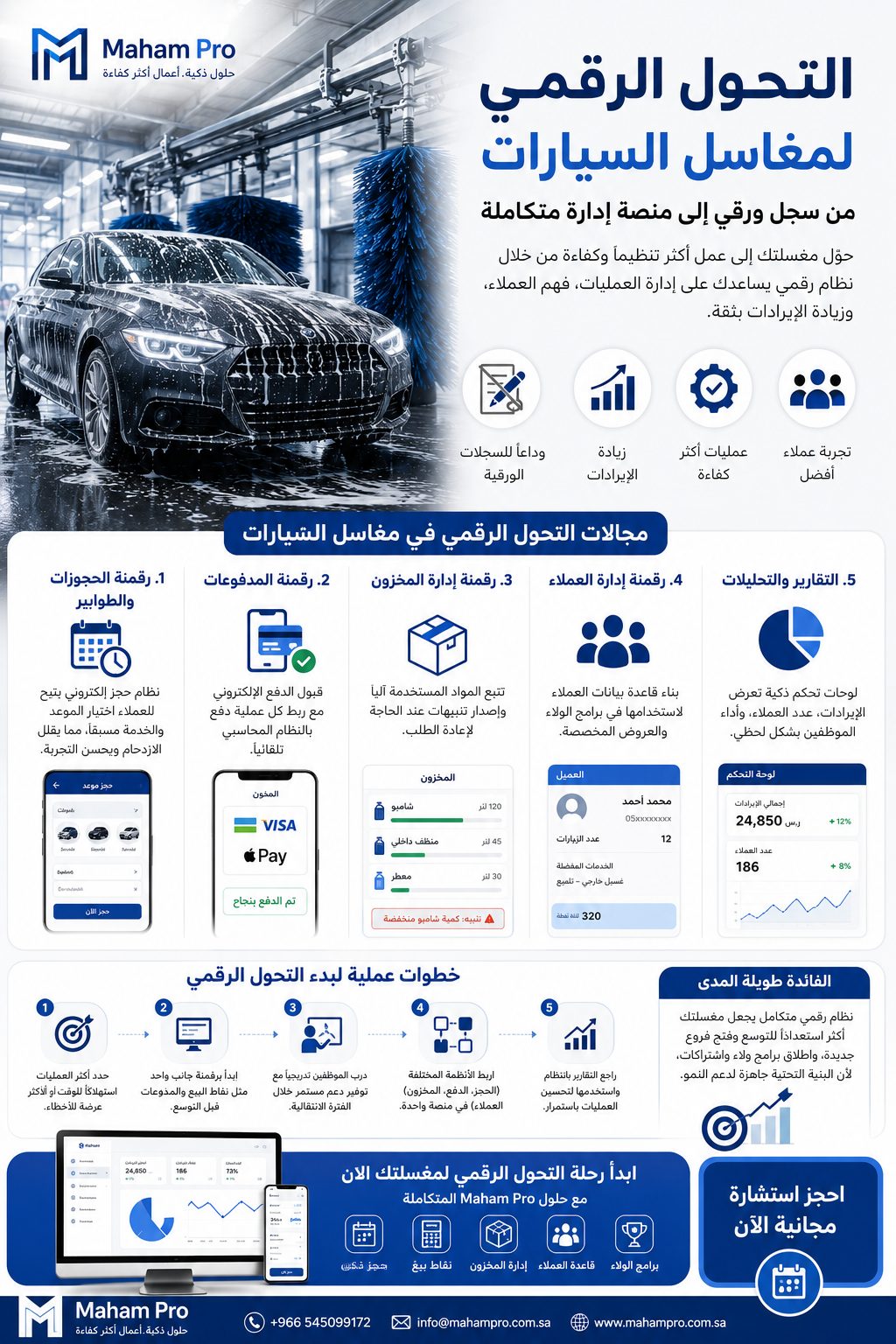
You have decided to leave the notebook behind and move to a system. The real question is how to do it without disrupting a busy day, and without staff drifting back to paper a week later. This article is not about system features; we covered those in our guide to choosing car wash software. It is a practical step-by-step plan for moving your car wash from paper to digital operations.
Before you start: map the working day as it is
Spend a full day at the car wash and write down what actually happens:
- Who receives the car, and what do they write?
- How is the washer told which service is required?
- How does the customer know the car is ready?
- Who takes the payment, and how is cash or card recorded?
- How are small expenses paid from the till?
- How is the till closed at the end of the day?
This description is what you will move into the system. Any step missing from it will surface later as a problem.
Devices and connectivity
- A device at reception: a tablet or PC to open orders.
- A screen in the waiting area: if you will use the queue screen.
- Phones for supervisors: to follow orders and update their status.
- A stable internet connection: with a fallback, such as a backup data SIM, because a cloud system needs connectivity.
Preparing the data
Service list and prices
Standardise service names and prices before entering them. "Normal wash" for one employee and "exterior" for another will confuse reports later.
Expenses
Set expense categories from the start: supplies, salaries, rent, electricity and water, maintenance, other. Clear categories are what make the profit report useful.
Customers
Do not try to enter every old customer from the notebooks. The customer record builds itself with each visit as plate numbers are entered.
Users and permissions
Decide who is the owner, the branch manager and the reception staff, and what each can see. Do not give everyone manager access "for now".
Training
Train each role only on what it needs, on site rather than in a meeting room:
- Reception: enter the plate, choose the service, open the order, close it and take payment.
- Supervisor: follow orders and update status.
- Branch manager: expenses, day close and reading reports.
Hold training on a quiet day, and leave a short step sheet next to the reception device for the first few days.
Launch plan
- A pilot on a quiet day: orders are recorded in the system with the notebook kept as backup.
- End-of-day review: compare the system's close with the actual till and fix errors immediately.
- Set the full switch-over date: once the pilot is stable, the notebook stops. Keeping both for long lets staff pick the easier option, which is paper.
- Add features gradually: the queue screen, then the loyalty programme, once the team is used to orders.
- Other branches: if you have more than one, start with one branch and roll out the refined approach afterwards.
Common mistakes
| Mistake | Instead |
|---|---|
| Switching on every feature on day one | Start with orders, payment and expenses |
| Launching on a peak day | Launch on a quiet day with a supervisor present |
| Open permissions for everyone | Role-based permissions from the start |
| Not recording small expenses | Record every expense, however small |
| Keeping the notebook indefinitely | A clear date to stop paper |
How do you know the move worked?
- Every order is recorded in the system; there are no "off-system" orders.
- The day close in the system matches the till.
- The monthly profit report comes out without gathering papers.
- The owner can see every branch without phoning or visiting.
With Maham Pro's car wash management system
The car wash management system runs in the browser on ordinary devices and covers orders and services, customers by plate number, a queue screen, loyalty points, multiple branches, profit and expense reports, and roles and permissions. If you need something beyond that, such as a dedicated app for your customers, it can be scoped under mobile app development or custom systems.
FAQ
How long does the move take?
It depends on the number of branches and how ready the team is. One branch with clear services moves much faster than several branches with different prices.
What if the internet goes down?
Prepare a backup connection, and agree with the team on a temporary way to record orders and enter them as soon as the connection returns.
Do I need a technical employee?
No, but you need someone at the car wash who owns the system, checks that it is used and talks to support.
Next step
To see our solutions for the car wash sector and discuss a transition plan for your car wash, book a free 30-minute introductory session. Afterwards, read how to improve car wash profitability to put the data to work.